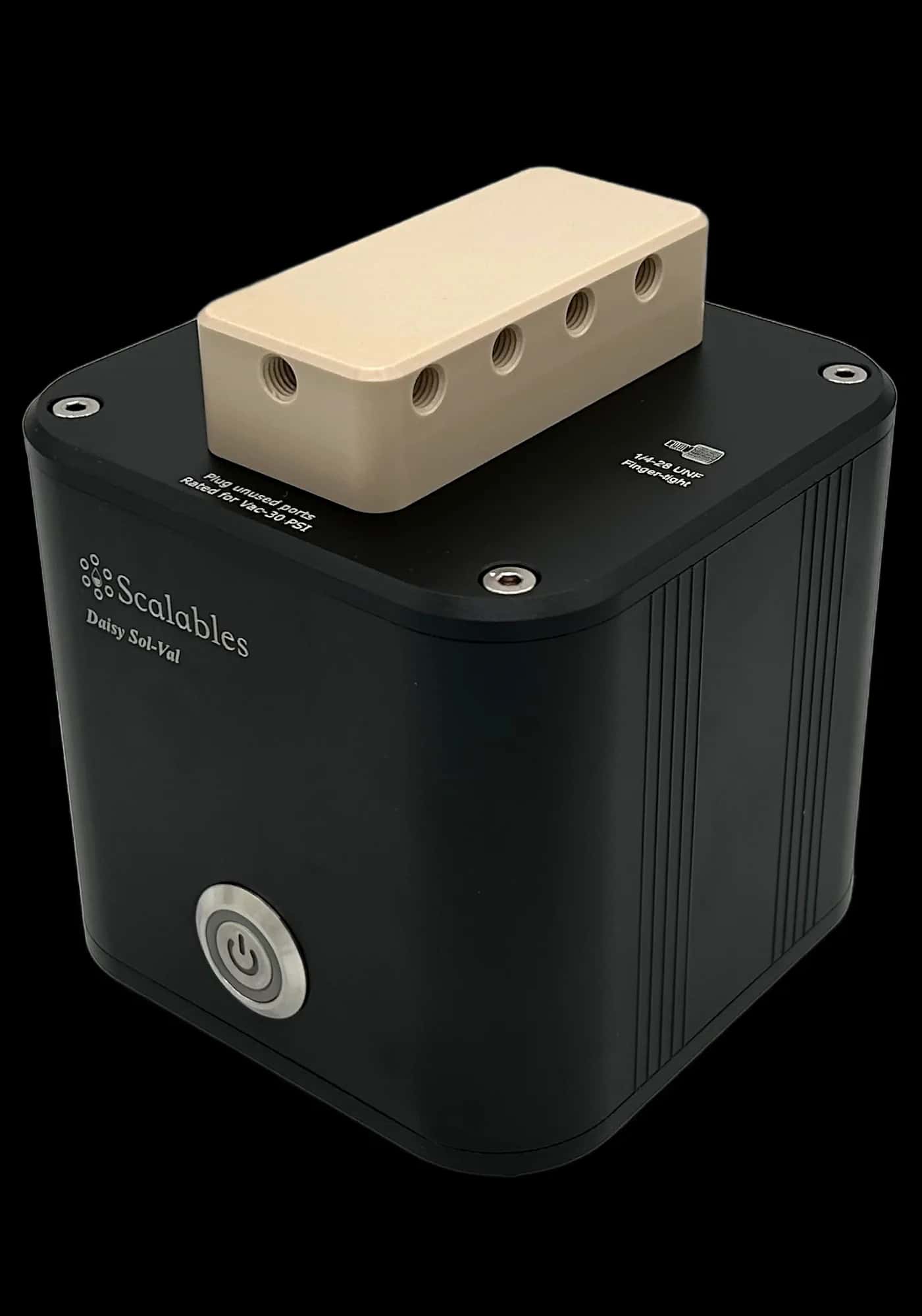
Daisy Process
Original price was: $2,250.00.$2,000.00Current price is: $2,000.00.
5 in stock (can be backordered)
Free shipping on orders over $2500!
- Satisfaction Guaranteed
- No Hassle Refunds
- Secure Payments
- Pre-order items ship in 8 weeks
- More Information
- Technical Specifications
- Chemical Compatibility
- Accessories
- Maintenance
- Command Set
The Daisy Process module lets you plug up to four Hamilton ARC probes — pH, dissolved-oxygen, CO2, ORP, conductivity or cell-density—into one palm-sized hub, instantly turning any flask, perfusion loop or pilot reactor into a smart, data-rich system. ARC sensors carry their own micro-transmitters, so they talk straight to Daisy over digital Modbus lines—no bulky field transmitters or extra wiring required.
Set-up is as simple as threading the VP8 cable from the selected probe into one of the four ports on top of Daisy Process. Live readings can appear on the Daisy Controller Software in seconds. Because each probe stores its own calibration and diagnostics, you can swap sensors between runs without a full recalibration, slashing downtime during busy campaigns. The Hamilton ARC probes even feature an optional Bluetooth wireless plug-in module that let technicians verify performance with a phone or tablet while the experiment keeps running.
ARC families span OneFerm pH, VisiFerm DO, Conducell conductivity and Incyte viable-cell sensors, giving teams a single ecosystem for nearly every liquid parameter. Whether you’re chasing tight glucose feeds in a 250 mL yeast fermenter or monitoring trace-level oxygen in a 2 L wave bag, Daisy Process captures high-resolution data and allows you to use it for real-time control of your process, in conjunction with other Daisy instruments.
Imagine pairing two OneFerm pH probes with a VisiFerm DO in a benchtop bioreactor—Daisy maintains setpoints while a Daisy Peri-T pump meters glucose to keep biomass on track. In tissue-engineering loops, an Incyte cell-density sensor and conductivity probe guide media exchanges through Daisy Val selector manifolds, preserving viability without manual sampling.
Process chemists can drop Daisy Process into a titration skid: together with other Daisy modules, the system can log pH, adjust reagent valves, and then hand off an aliquot to a Daisy Gantry for downstream LC-MS prep—all without PLC coding. Environmental teams can clip a VisiWater DO Arc into a stream monitor alongside a conductivity sensor to watch seasonal shifts in real-time. The applications are limitless.
If more than four sensors are required for your process, simply add another Daisy Process into your Daisy network. In fact, an entire processing or manufacturing facility with numerous batch chambers could be monitored and controlled via a single computer with the Daisy system.
The Daisy Process module brings full flexibility and affordability into the processing and bioreactor worlds. Get yours today!
| Weight | 0.45 kg |
|---|---|
| Dimensions | 100 × 100 × 110 mm |
| Connector Pressure | Finger tighten the VP8 connectors gently; do not use a wrench. |
| Wetted Materials | None |
| Port Configuration | VP8 cable connector |
| Unit Power Input | 24 VDC, 4 A |
| Power Adaptor Input | 110-240 VAC, 50/60 Hz |
| Adapter Safety Certifications | FCC, CE, UL |
| Color | Housing: Anodized black |
| Operating Conditions | Temperature: 10-40 degrees C |
Chemical Compatibility
Daisy Process is designed to interface directly with Hamilton ARC probes for process analytical technology (PAT). This instrument itself is not intended to be submerged in any liquids or chemicals. However, here is a link to our favorite chemical compatibility database, anyway:
Chemical Compatibility Database
For chemical compatibility of the Hamilton probes themselves, check out their product page here.
Accessories
Maintenance
The Daisy Process is a very low-maintenance instrument. When it is not in use, we recommend disconnecting all the VP8 cables from the module before putting it away on a shelf or in storage.
We also recommend covering unused MODBUS ports on top of the instrument with red dust caps.
In case of an accidental spill over the instrument, simply unplug the module from power and disconnect all cables. If needed, use rubbing (isopropyl) alcohol to wipe away residue before wiping the instrument dry with Kimwipes or any other lint-free paper wipe or towel. Make sure the inside of a MODBUS port is completely clean and dry before connecting a VP8 cable to it.
Command Set
Always start your automation scripts by setting up the interface to the Daisy instruments. Assuming your Daisy Process is the first instrument in the first group:
process = self.my_interface.groups[0].inst[0]
The run command format is:
[<param1>, <param2>, <param3>] = process.measure_parameters(<channel #>)
There are four MODBUS channels available on each Daisy Process instrument. Simply specify the channel number that your target probe is connected to in the command, and measurement parameters will be returned. For instance, to read pH, mV and temperature values simultaneously from the Polylite Plus ARC probe from Hamilton connected to channel 3 of a Daisy Process module, use:
[pH, mV, T] = process.measure_parameters(3)
Application Example: Real-Time pH Control
The script segment below uses a Daisy Peri T (peristaltic pump) and a Daisy Multi Val (selector valve) to set up a cell perfusion assay. The Peri T provides continuous, long-term flow of reagents into the perfusion chamber, while the Multi Val switches between various input reagents/buffers (up to 12 different inputs) to feed to the pump. The example below uses a time-of-day based scheduling to switch between the different reagents.
from datetime import datetime
g1 = self.my_interface.groups[0]
peri_pump = g1.inst[0] # first instrument in the chain is the Daisy Peri T
multi_val = g1.inst[1] # second instrument in the chain is Daisy Multi Val
# Start by homing the selector valve
multi_val.home() # waits automatically to finish. Defaults to port 1
# Next, calibrate the peristaltic pump according to the tubing used
calibration_speed = 7.54 # ml/min @ 60 rpm; using 1.6/4.8 ID/OD (mm) tubing
peri_pump.calibrate(calibration_speed)
# Finally, start the peri pump at 10 ml/min perfusion speed, choosing
# different reagents at different times. For simplicity, let's assume
# the cells are in an artificial muscle environment, reacting to
# simulated glucose level increases with every meal. Breakfast at
# 08:00, Lunch at 12:00 and dinner at 18:00. This is just an example;
# the reagent schedule could be anything your application needs.
current_time = datetime.now().time()
# Define meal times and the duration of glucose spike from each meal
breakfast_time = current_time.replace(hour=8, minute=0, second=0, microsecond=0)
breakfast_digest_time = current_time.replace(hour=9, minute=30, second=0, microsecond=0)
lunch_time = current_time.replace(hour=12, minute=0, second=0, microsecond=0)
lunch_digest_time = current_time.replace(hour=14, minute=0, second=0, microsecond=0)
dinner_time = current_time.replace(hour=18, minute=0, second=0, microsecond=0)
dinner_digest_time = current_time.replace(hour=20, minute=15, second=0, microsecond=0)
check_interval = 60 # seconds
one_hour = check_interval*60
# start the peri pump
peri_pump.run(10.0, 10*60*24*10, wait=False) # run at 10 ml/min for 10 days
while True:
current_time = datetime.now().time()
if (current_time >= breakfast_time):
multi.select_port(3, wait=False) # breakfast spike on port 3
if (current_time >= breakfast_digest_time):
multi.select_port(1, wait=False)
if (current_time >= lunch_time):
multi.select_port(4, wait=False) # lunch spike on port 4
if (current_time >= lunch_digest_time):
multi.select_port(1, wait=False)
if (current_time >= dinner_time):
multi.select_port(5, wait=False) # dinner spike on port 5
if (current_time >= dinner_digest_time):
multi.select_port(1, wait=False)
time.sleep(60) # next check 1 min later