Daisy Sol Val Quickstart
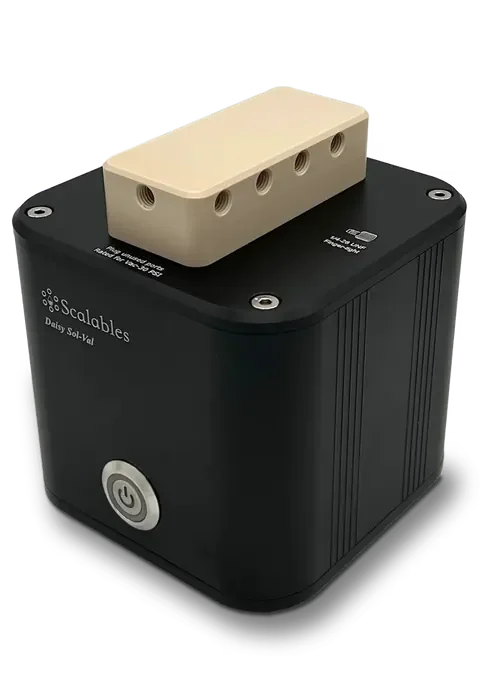
Set up the Scalables Daisy Sol Val 8-channel solenoid valve manifold from tubing connections to Python valve switching.
Setup, Connections, and Valve Switching
The Scalables Daisy Sol Val is an 8-channel solenoid valve manifold that can switch up to 8 lines. This guide walks through everything shown in the quickstart video, with additional detail.
use the Daisy Rotary Valve instead.
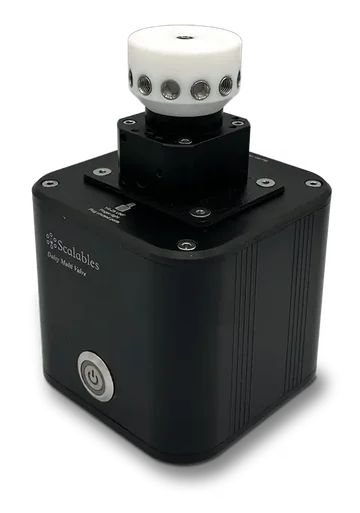 Daisy Rotary Valve →
Tubing and Connections
The Sol Val can use PTFE tubing with a ferrule and a fitting for the quarter-28 port. When using it with peristaltic pumps, use a barbed hose fitting appropriate for the tubing ID. Two options are available for this connection: a nylon direct-to-port adapter or a PVDF luer lock coupling.
Connect tubing to each port in use. Stopper fittings are also needed for unused ports, so plug any unused ports with quarter-28 stopper fittings.
Power and Computer Connection
Plug the power supply into the Daisy. Then plug the data cable into the micro USB port on the Daisy and the other end into a computer. Press the Power button on the Daisy.
Using the Daisy Controller Software
On a computer, open the Daisy Controller Software and click the Instrument Refresh button. The instrument list shows which group and index the Daisy occupies.
The right panel lists the ports available to open or close. Ports can be controlled in real time with the toggle, or by selecting one or more ports and clicking Open. In this example, common port 1 is used. Select the Port 1 button and click Open to open the port, then click Close to close it.
Switching Valves with Python
Next, select Sample Code to view the function for opening valves, turn_on_valves(). It takes a Python set, which is a group of numbers enclosed in curly braces, such as {1} or {1, 3}. A set is required even to open just one valve. Calling it again with a different set closes everything and opens only the new set. To close all valves at once, use turn_off_valves().
The next example opens valve 1, then opens valve 3, pausing 3 seconds before and after switching valves. Then it closes all valves. In the video, this dispenses into the Erlenmeyer flask in back, then into the Erlenmeyer flask in front.
sol_val = self.my_interface.groups[0].inst[0]
sol_val.turn_on_valves({1})
time.sleep(3)
sol_val.turn_on_valves({3})
time.sleep(3)
sol_val.turn_off_valves()Cleaning After Use
After using the Sol Val, clean the tubing and manifold with water. Make sure the valves are open and rinse with water. Then remove the inlet tubing from any liquid and dry the tubing and manifold with air.
Another common configuration for the Sol Val connects tubing to both sides of the common port. This allows in-process sampling without interrupting flow.
Interactive Python notebooks
Detailed Sol Val walkthroughs in Python on GitHub. Choose the set that matches how you run Daisy.
Daisy Controller Software notebook
For use within the notebook section of the Daisy Controller Software
Daisy Python library notebook
For use with the daisy python library